Review Comments (0) Screenshots (6) Questions & Answers (0) Votes (0) Awards (17) Wiki  
6.3.2
www.robogeo.com
Shareware
$79.95  Purchase
79 people
Download RoboGEO

13.36 MBDownloaded 3238 times

This software was checked for viruses and was found to contain no viruses.
Click here to see antivirus report.
 
Video tutorial for RoboGEO 6.3
Frame
Video tutorial for RoboGEO 5.9
Frame
Video tutorial for RoboGEO 5.6
Frame
This video tutorial has been acquired from Downloadtube.com

Review

This is official description

RoboGEO's approach is "software only" and that makes it less expensive, more convenient, and more powerful than hardware-based products.Write the latitude, longitude, altitude and photo direction to the image's EXIF headers to permanently embed the location data within the actual image. The writing is lossless, so there's no loss of image quality.
 
The following review written by one of the Software Informer contributors applies to version 5.6

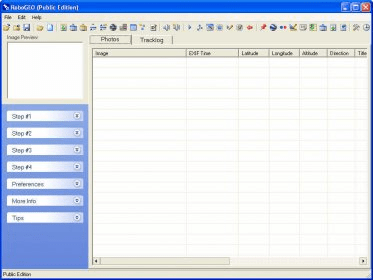
RoboGEO is a practical application that enables us to input geocoding data into maps, plans, routes, etc. This program provides a smart user interface with step-by-step instructions that makes it very easy to handle. First, we need to create a project and import a map or plan into this application. This program lets us import locations from many different sources, including GPS devices, Google Earth, etc.). We may also import one file or an entire folder. This program supports many popular digital image formats (PNG, JPEG, RAW, TIF, BMP, CR2, DNG, etc.).
We can also gather the geocoding data from various online sources, or from a NMEA/waypoint/tracklog file, IPTC fields, etc., or we can enter the data manually and add it to the image. We can edit the geocoding data, the time, view the metadata, etc. It is possible to add the location data to the EXIF headers or to the image itself, and also add audio to the image. After that we can save our project and export it to Google Earth, MapPoint, or Flickr, or export a DXF/GPX file, or a shapefield. All these features can be accessed both from the panel on the left and from the toolbar icons. This program can be evaluated for free. The trial version displays a bug made on purpose, so that the geocoding data differs slightly from the real one.
  • Free trial
  • Project wizard.
  • Smart GUI.
  • Free updates after purchasing.
  • The trial version displays a bug made on purpose, so that the geocoding data provided is slightly different to the real one.
  • Online help guide only.

Reviewer rating:

Reviewed: 2 years ago

What's new in version 6.3

-Write to the EXIF Headers
-Stamp the Images
-Geocode Photos Using Google Earth

What's new in version 6.1

Added the ability to import CSV files that are exported from the 'CAP Image Processor' application's 'Template Work Sheet'.

What's new in version 5.3

Upload waypoints, Google Maps terrain view, Google Earth timelines, and Garmin MapSource GPX extension
Report a wrong version Report a wrong program title Suggest a correction

Screenshots

Main window Main window Main window Main window Setup wizard Setup wizard Entering latitude and longitude Entering latitude and...
All 6 screenshots

Latest comments


There are no comments, be the first one!
Add new comment

E-mail Address:

Password:

Register now »

Forgot password?

Sign in with:
Facebook Account
.rgw RoboGEO Project File
Download Software Informer Client
Copyright © 2012, Informer Technologies, Inc. About| Terms & Privacy| FAQ| Feedback & Support| For Developers